Overview:
The Company-Level API Key allows external applications or third-party systems to securely connect to N3 using authorised API access.
Company administrators can generate an API key and assign specific permissions based on the integration requirements. This provides controlled access to company data without sharing the N3 username and password.
Scenario:
A customer asks how to get an API key to connect their own system to N3. The admin creates a key with limited permissions instead of sharing a username and password.
Solution:
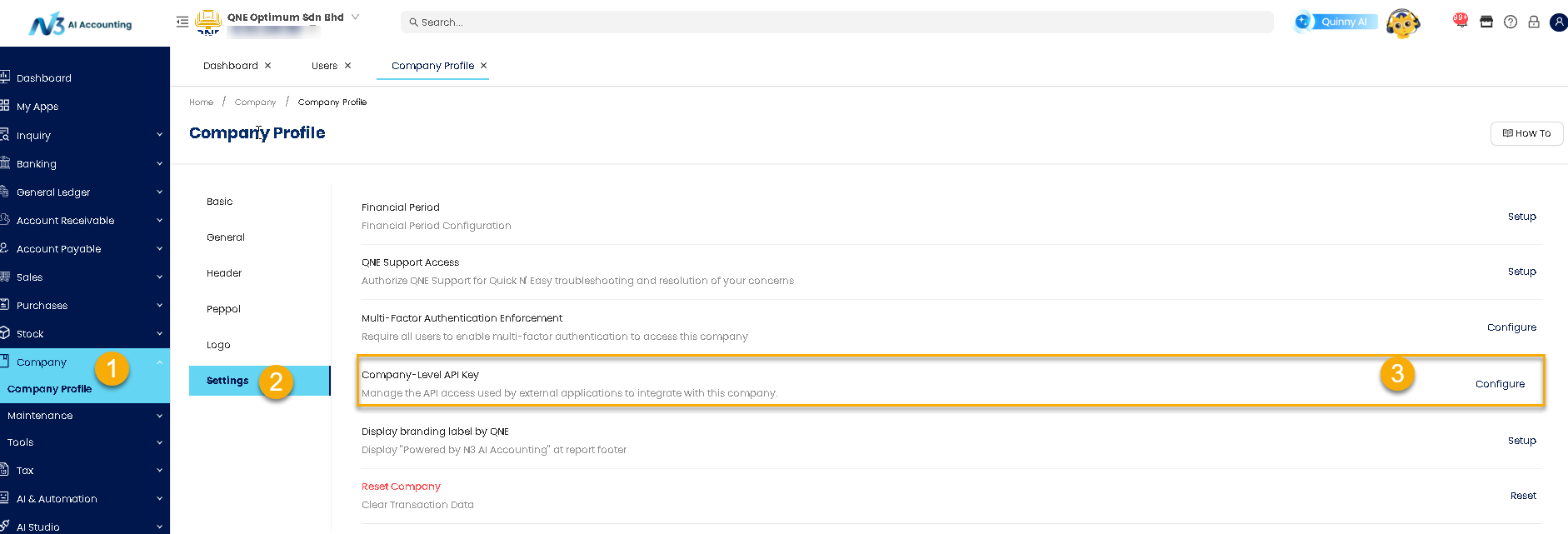
1. Go to Company > Company Profile > Settings tab > Find Company-Level API Key and click Configure.
2. Click Generate API Key 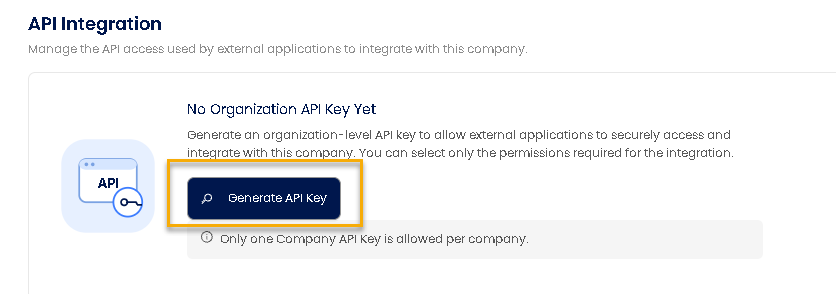
3. Tick the permissions the app needs, then click Generate API Key.
Remark: Suggests not using Select All unless the app really needs full access.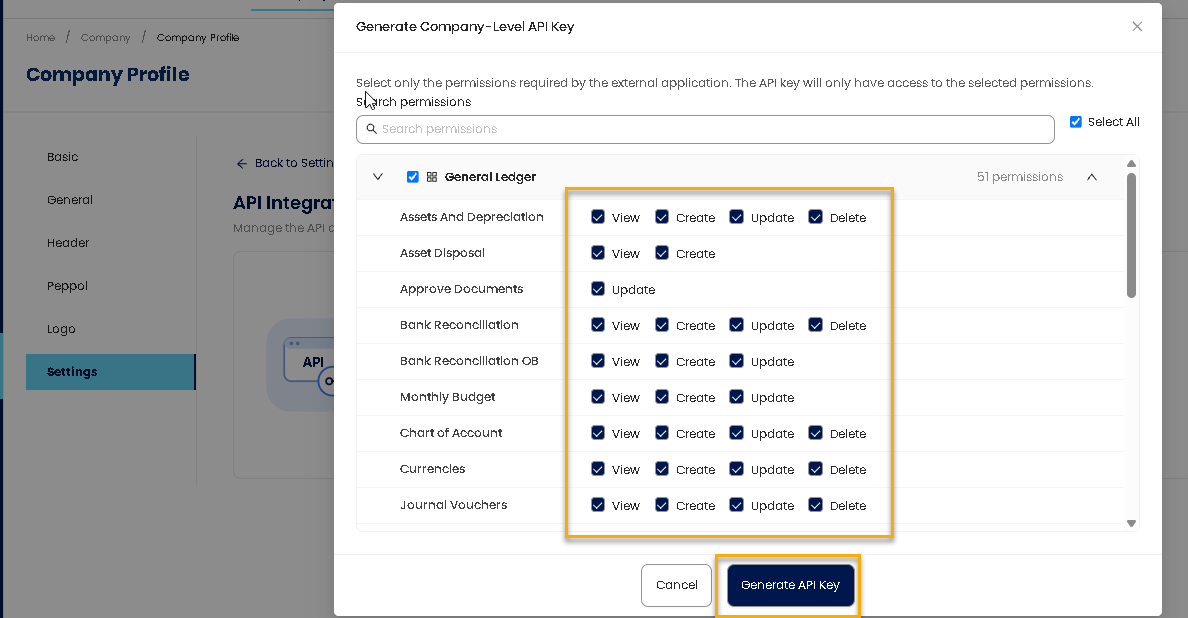
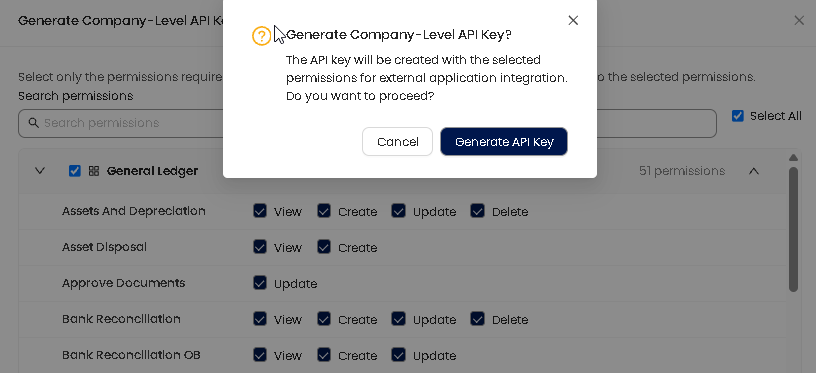
4. Confirm the message after you have edit the access right
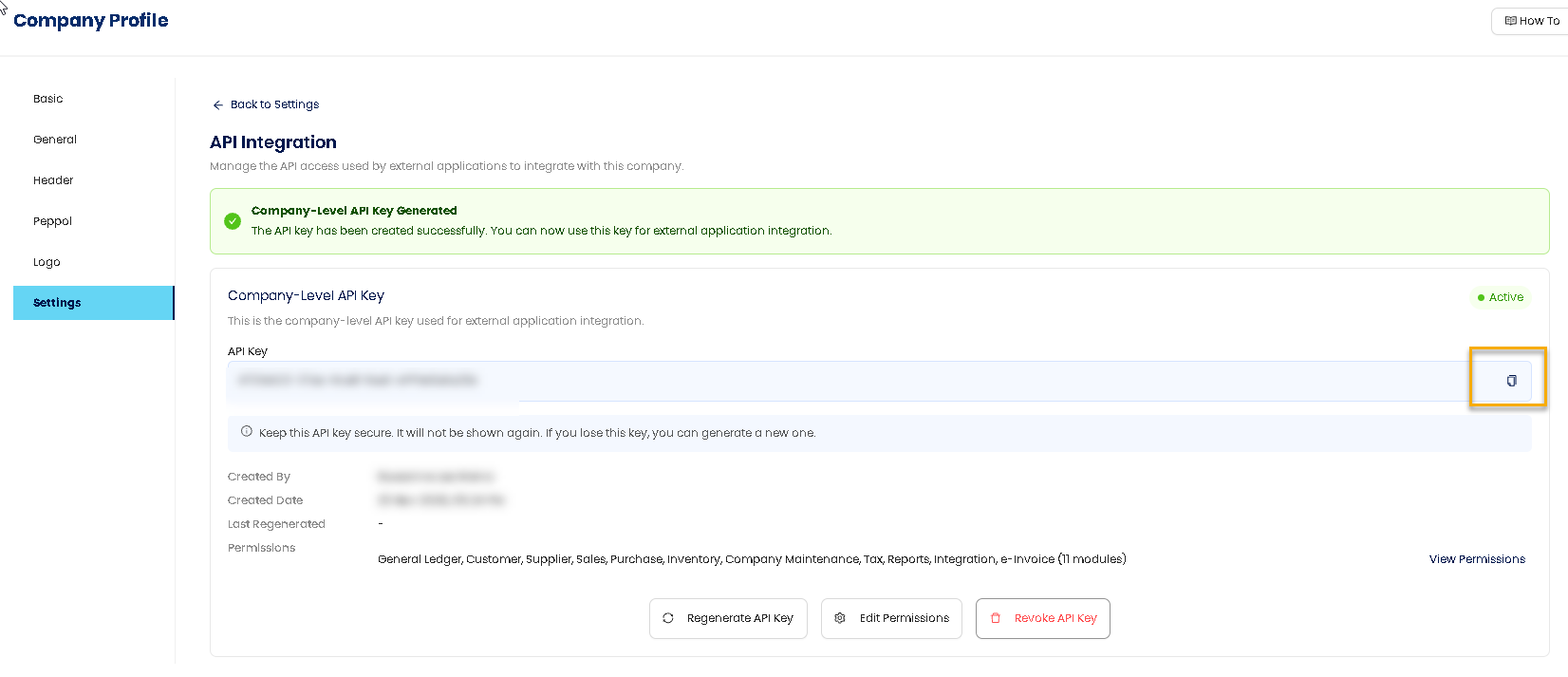
5. Copy the key using the copy icon. A red warning says the key won’t be shown again.
Tips: Keep the key private
Relevant articles:
How to Integrate N3 with Open API
How to generate API Token via Ai App Builder
Was this article helpful?
That’s Great!
Thank you for your feedback
Sorry! We couldn't be helpful
Thank you for your feedback
Feedback sent
We appreciate your effort and will try to fix the article