What’s New
This release delivers a broad range of enhancements across financial management, inventory control, reporting, and user experience. Key updates include end-to-end serial number management, expanded reporting capabilities, improved accounting flexibility, and interface refinements designed to streamline daily operations and increase productivity.
September 03, 2026
✨Key Feature
1. Expanded Park & Post Functionality
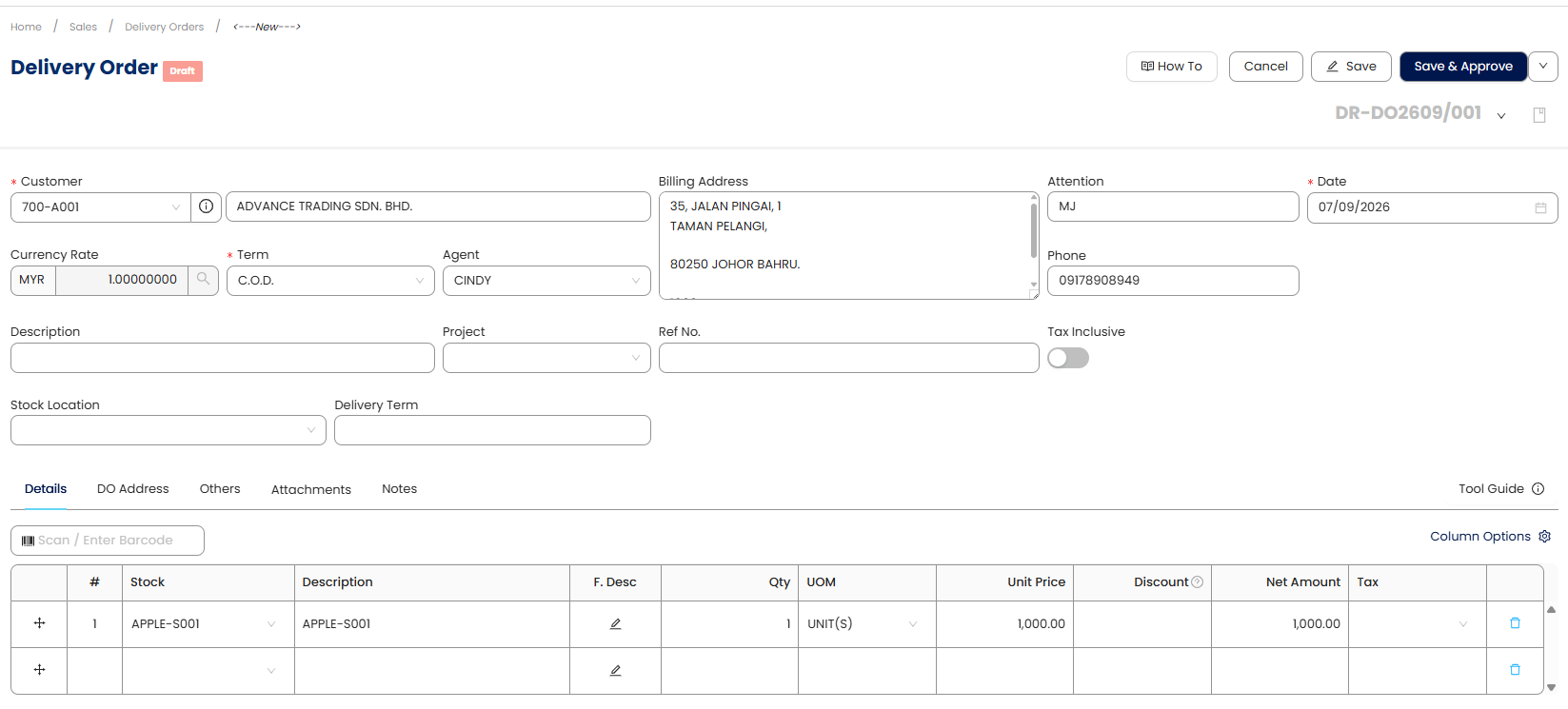
Users can now use Park & Post across a wider range of transaction forms, allowing them to temporarily save transactions as Draft for review or Post/Approve completed transactions when ready. This functionality has been expanded to cover GL Posting, Inventory Posting, Customer Invoice, Debit Notes, Credit Notes, Customer Refund, Supplier Refund, Quotations, Sales Order, Delivery Orders, Sales Debit Notes, Sales Credit Notes, Cash Sales Refund, Purchase Requisition, Purchase Order, Good Received Notes, Purchase Debit Notes, Purchase Returns, Cash Purchase Refunds, Stock Ins, Stock Outs, Stock Transfer, and Stock Adjustment.
This enhancement provides a more consistent transaction workflow across modules, giving users greater control over when transactions are reviewed and finalized.

✨eInvoice, Tax & Other Localization
2. Enable SVDP e-Invoice Submission Option
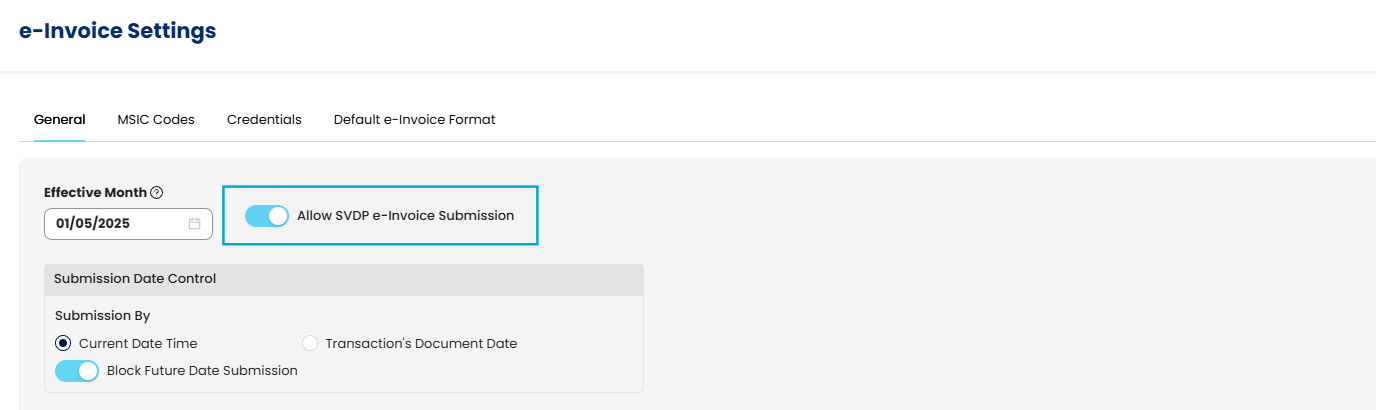
A new setting 'Allow SVDP e-Invoice submission' has been added to e-Invoice settings, and SVDP e-Invoice LHDN document records are now saved in a separate table to preserve original LHDN document records.
3. Support for MyInvois SVDP Version 1.3
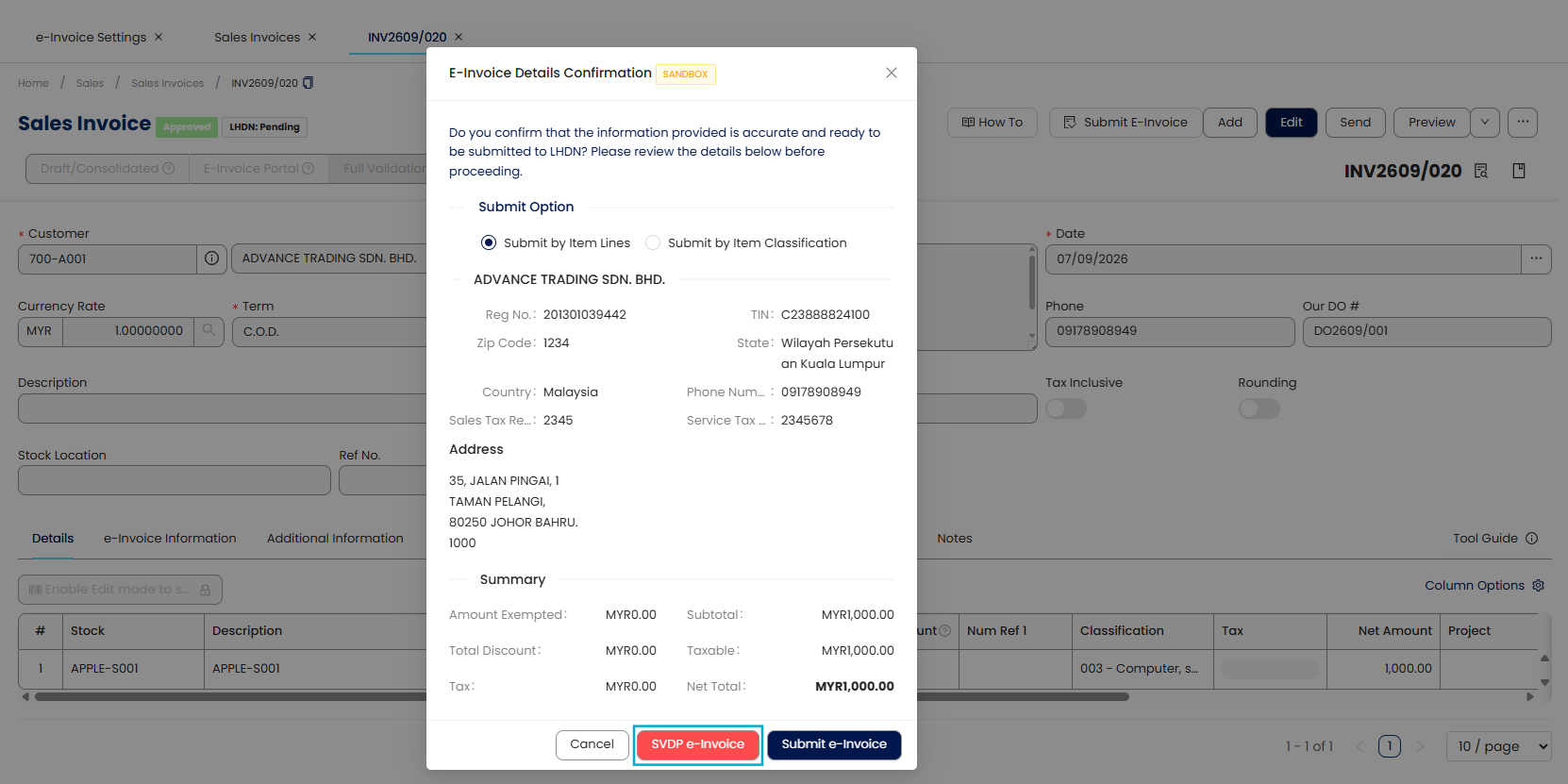
Users can now submit e-Invoices using SVDP version 1.3, ensuring compliance with the latest MyInvois requirements by providing a dedicated submission option and correctly setting the version ID for all relevant e-Invoice transaction types.
4. Consolidated e-Invoice Generation by MSIC Code
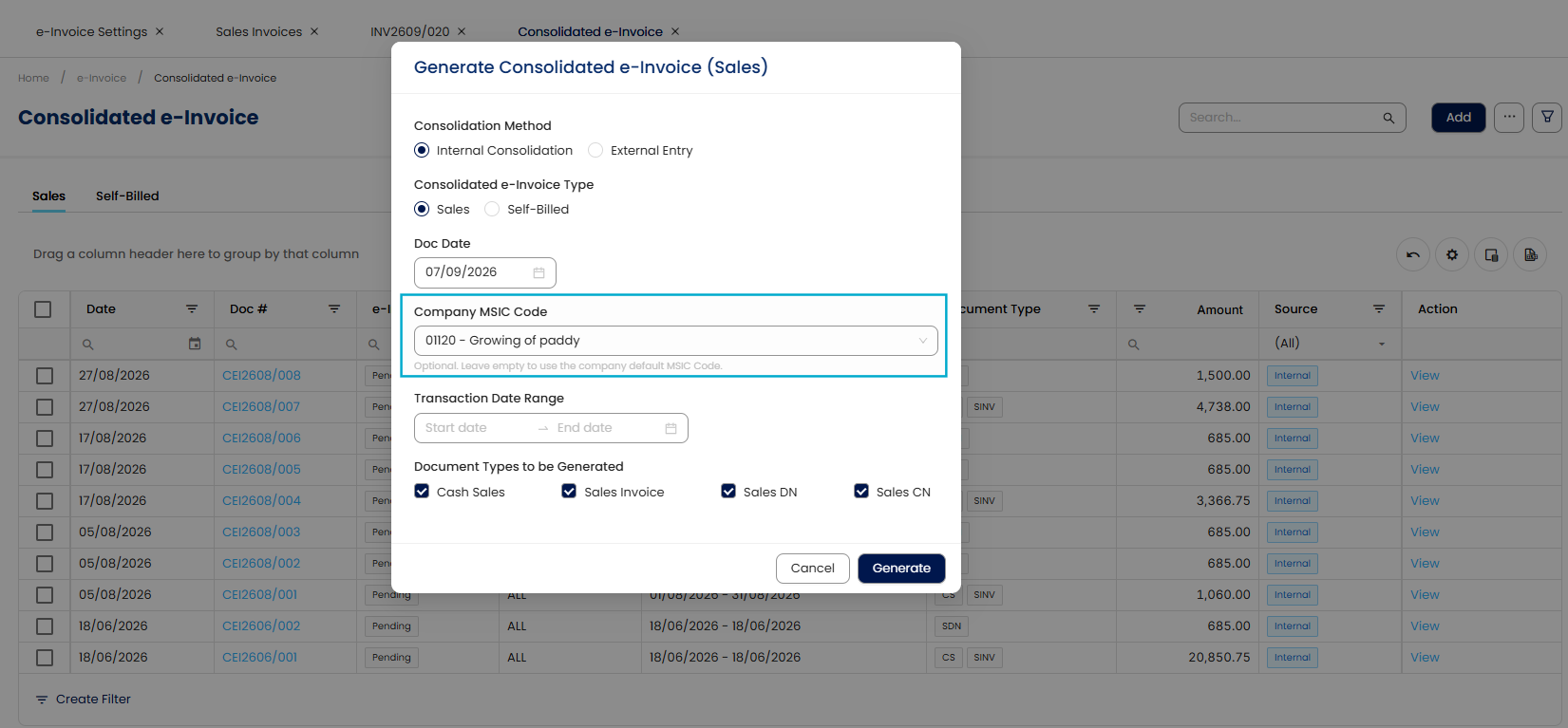
Users can now generate consolidated e-Invoices based on the configured MSIC Code for applicable transactions. This enhancement supports the Malaysia e-Invoice requirements by allowing transactions with the same MSIC Code to be consolidated, making e-Invoice preparation and submission more streamlined and efficient.
✨General Ledger
5. Journal Entry Generation for Zero-Amount Transactions
The system now generates journal entries for AR and AP transactions with a zero total amount, ensuring proper debit and credit postings even when offsetting GL line items result in a net zero.
6. Merged Fixed Asset and Accumulated Depreciation in Balance Sheet
Balance Sheet reports now merge Fixed Asset and Accumulated Depreciation into a single row, displaying the accumulated depreciation amount within the asset row for a clearer presentation.
✨Accounts Receivable
7. Customer Area Field in Sales Invoice Report Design
The 'Customer Area' field is now available in the Sales Invoice preview report designer, allowing users to include and display customer area details in custom invoice layouts.
8. Customer Contact Details in Refund List View
Email, Phone No., and Fax No. columns have been added to the Customer Refund List View, providing quick access to customer contact information without opening individual records.
✨Sales
9. Improved Exported File Names for Sales Documents
Exported Sales Orders and Delivery Orders now use '{CustomerName}-{DocNo}' as the file naming convention, providing more descriptive and user-friendly file identification.
10. Outstanding Amount in Words for Sales Documents
The 'OutstandingAmountinWords' field is now available in the report designer for Quotations, Sales Orders, and Delivery Orders, allowing users to include this detail in their report designs.
11. Tax Total Amount (Local) in Sales Report Designer
The 'TaxTotalAmountLocal' field has been added to the report designer for various sales transactions (e.g., Sales Invoice, Quotation, Delivery Order), enabling users to display local-currency tax totals in custom layouts.
12. Default Net Amount Column in Sales Transactions
Transaction grids in Sales modules now display the 'Net Amount' column by default instead of the 'Serial Number', improving convenience for users to view net transaction values.
✨Purchases
13. Tax Total Amount (Local) in Purchase Report Designer
The 'TaxTotalAmountLocal' field has been added to the report designer for various purchase transactions (e.g., Purchase Invoice, Purchase Order, Goods Received Notes), enabling users to display local-currency tax totals in custom layouts.
14. Default Net Amount Column in Purchase Transactions
Transaction grids in Purchase modules now display the 'Net Amount' column by default instead of the 'Serial Number', improving convenience for users to view net transaction values.
✨Stock
15. Stock Group Fields in Sales and Purchase History Inquiry
The 'Stock Group' and 'Stock Group Name' fields are now available in the Sales History Inquiry and Purchase History Inquiry, providing more detailed filtering and analysis options for stock-related transactions.
✨Other Enhancements
16. Audit Trail for Posted Recurring Transactions
Posted recurring transactions are now correctly reflected in the audit trail, enhancing the traceability of automated entries.
17. Enhanced Audit Trail for Imported Data
The system now records imported past transactions and opening balances from data migration in the audit trail, clearly indicating whether transactions were 'Created' or 'Modified' via import for better traceability.
18. Reports Filter for Document Status
A multi-select 'Status' filter has been added to reports across General Ledger, Customer, Supplier, Sales, Purchases, and Stock modules, allowing users to filter transactions by their document status for more precise reporting.
19. Auto-Scroll for New Line Items in Transactions
When adding new line items to transaction forms (e.g., Sales Invoice, Delivery Order), the system now automatically scrolls to the newly added line, improving data entry efficiency.
20. Enhanced App Store Submission Modal
The 'Submit to App Store' modal has been enhanced with additional fields to capture comprehensive submission-related information, ensuring all details are saved to the QSMS database for future reference.
21. Improved App Details Pane Display
The App Details pane now displays the latest application information maintained in QSMS, with an updated layout to accommodate additional fields and ensure dynamic retrieval of data.
Was this article helpful?
That’s Great!
Thank you for your feedback
Sorry! We couldn't be helpful
Thank you for your feedback
Feedback sent
We appreciate your effort and will try to fix the article