Overview:
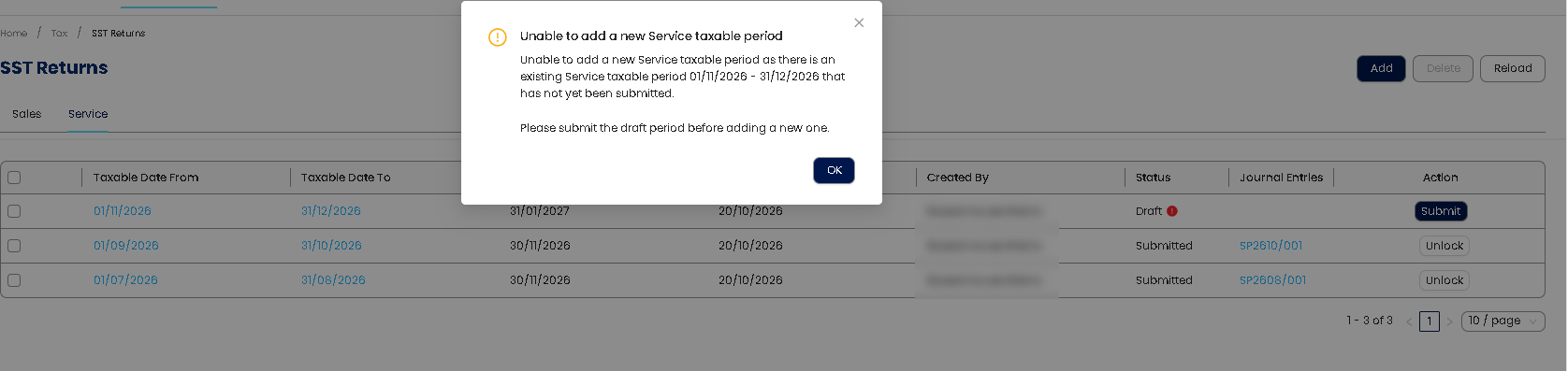
This article explains how to resolve the “Unable to add a new Service Taxable Period” message in QNE Optimum. This issue may occur when an existing SST Return taxable period is still in Draft status. Users must complete and submit the existing SST Return before adding a new taxable period.
Scenario:
When user trying to add a new SST Taxable period, there is a message prompt: Unable to add a new Service Taxable period.
Solution:
1. Review the existing SST Return transactions, if there is a taxable period status is under “Draft” status.
2. Then submit taxable period under “Draft” status > click “Submit” > update declaration info and then click “Submit SST Return”.
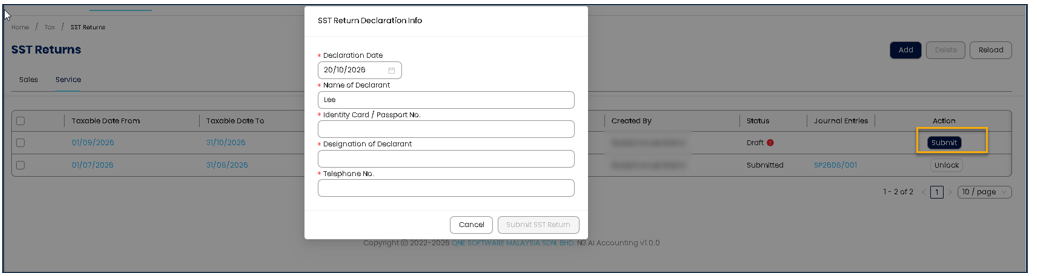
3. You can now add new taxable period as all taxable period status are “Submitted”.

Remark:
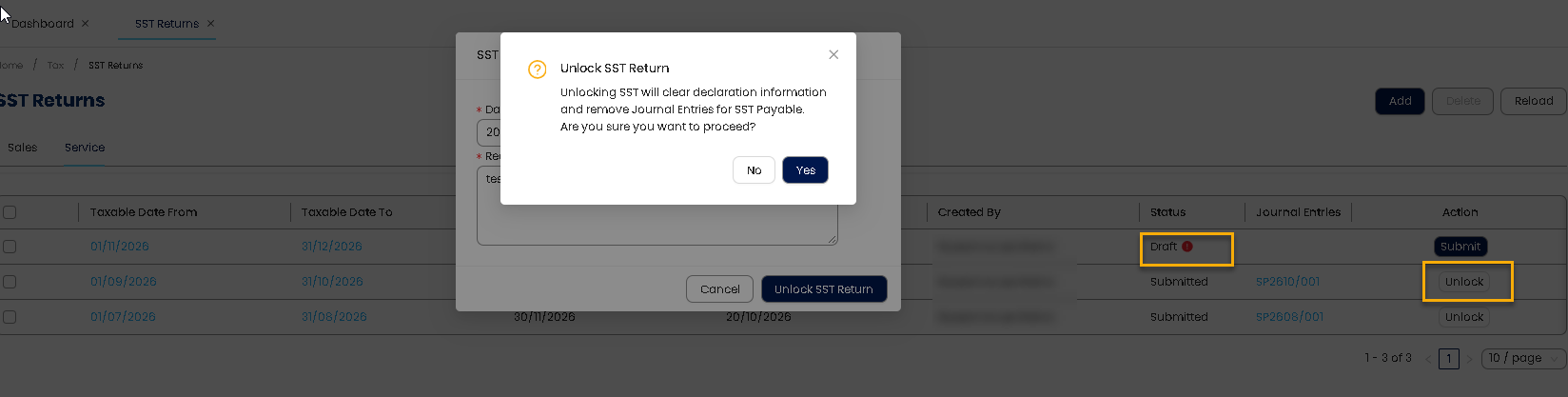
Same concern that if the user would like to unlock for the taxable period, however encountered the error: Another SST Return is already in Draft status. You must submit or delete the existing draft before unlocking the submitted Return.
User has to submit or delete the existing draft before unlocking the submitted Return
refer attachment for PDF file
Was this article helpful?
That’s Great!
Thank you for your feedback
Sorry! We couldn't be helpful
Thank you for your feedback
Feedback sent
We appreciate your effort and will try to fix the article