Overview
Supplier Knock Off is a function used to match and settle outstanding supplier transactions within the accounting system. It allows users to offset supplier invoices, debit notes, credit notes, and payments against each other to ensure the supplier account reflects the correct outstanding balance.
By performing a knock off, the related transactions are linked together and the outstanding balance will be reduced accordingly. This helps that the supplier account, aging report, and financial records are accurate.
This function is commonly used when a payment is made to settle one or multiple supplier invoices or when the adjustments such as credit notes need to be applied to outstanding invoices.
Prerequisites
Supplier record exists.
The supplier has outstanding transactions eligible for matching.
An advance payment, Supplier Credit Note, Bill, or Supplier Debit Note has already been recorded.
The user has permission to edit Supplier transactions.
Scenario
You have created Pay Bills for the payment made to the suppliers but haven’t knocked off any supplier invoices in the created Pay Bill(s).
In this guideline, we’ll guide you through on how you can use the Supplier Knock Off function to knock off the payment receipts with supplier’s invoices.
Procedure
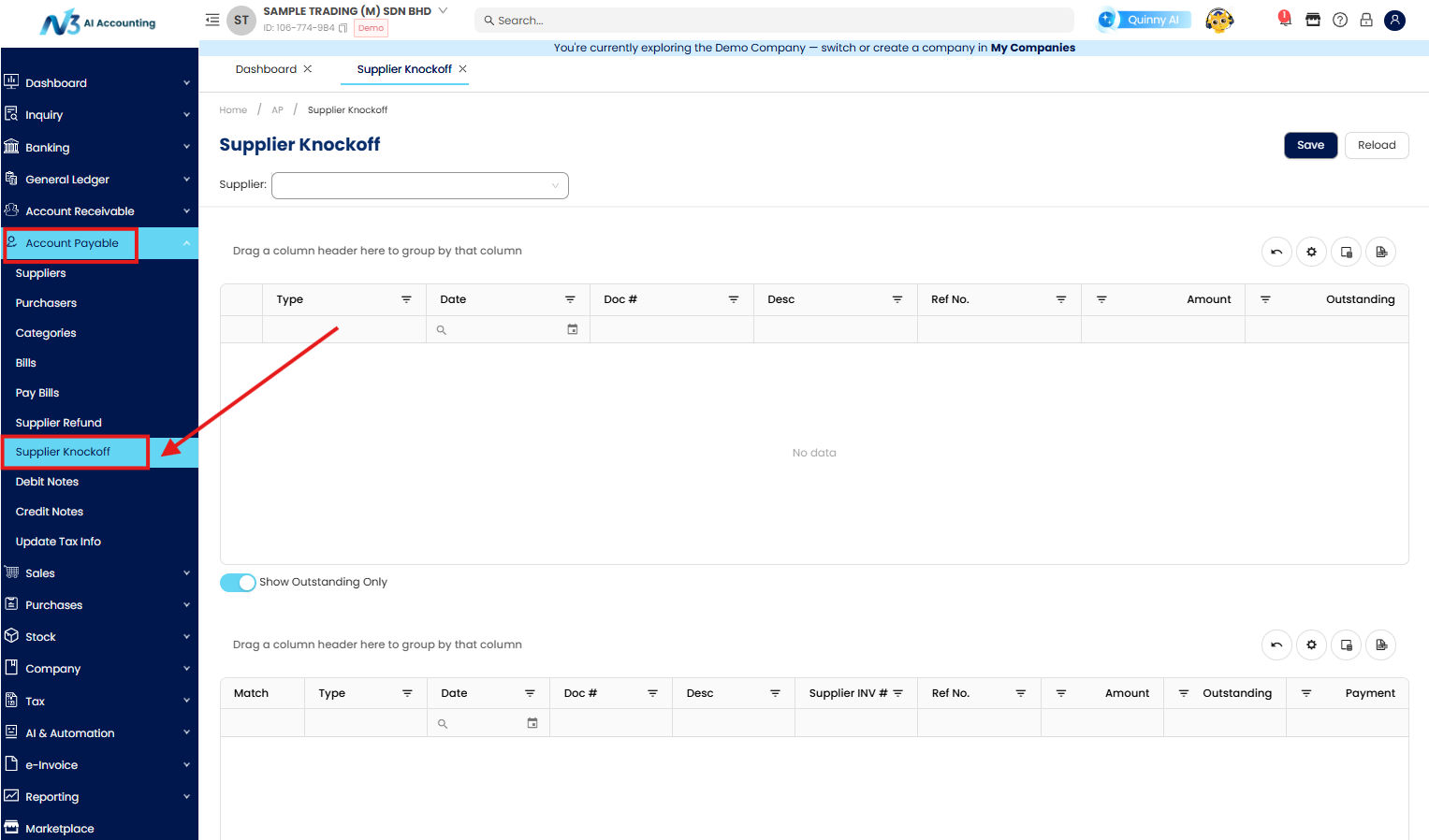
Go to Account Payable > Supplier Knockoff
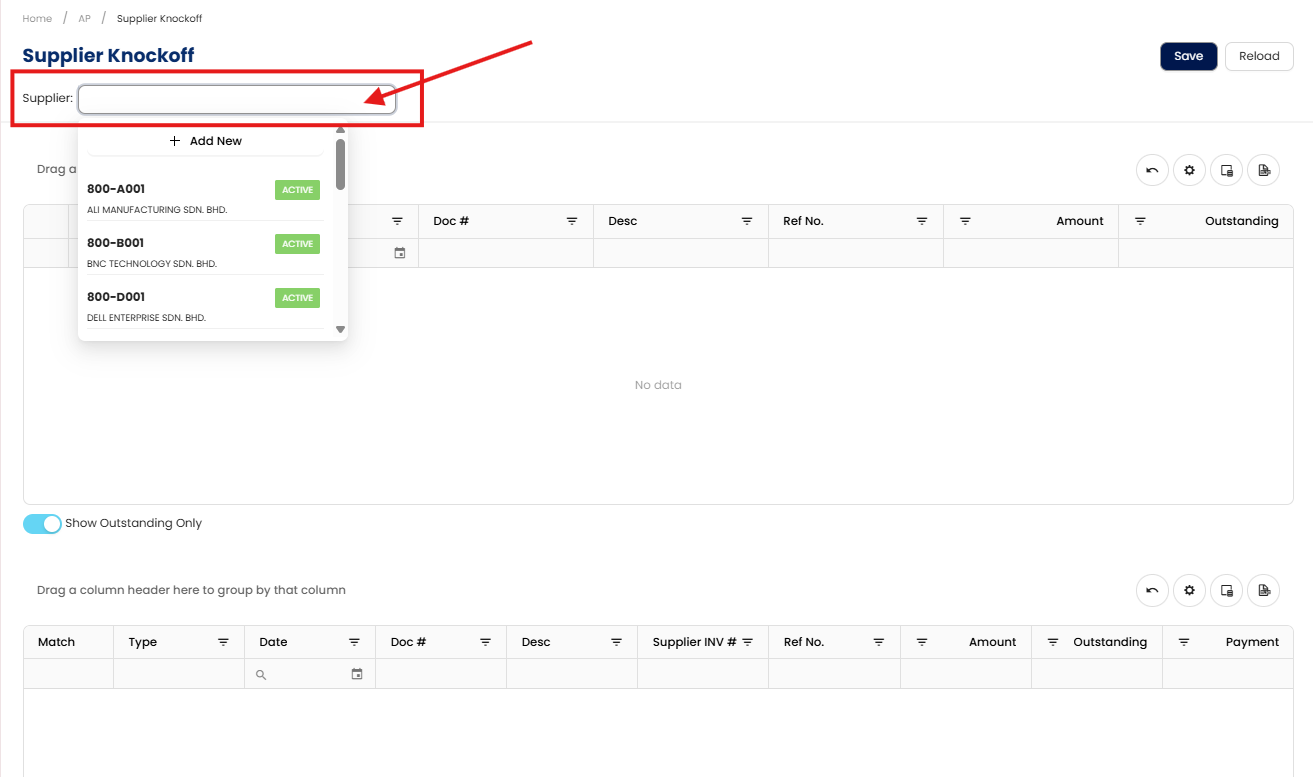
Next, you’ll have to select the Supplier Account Code/ Account name
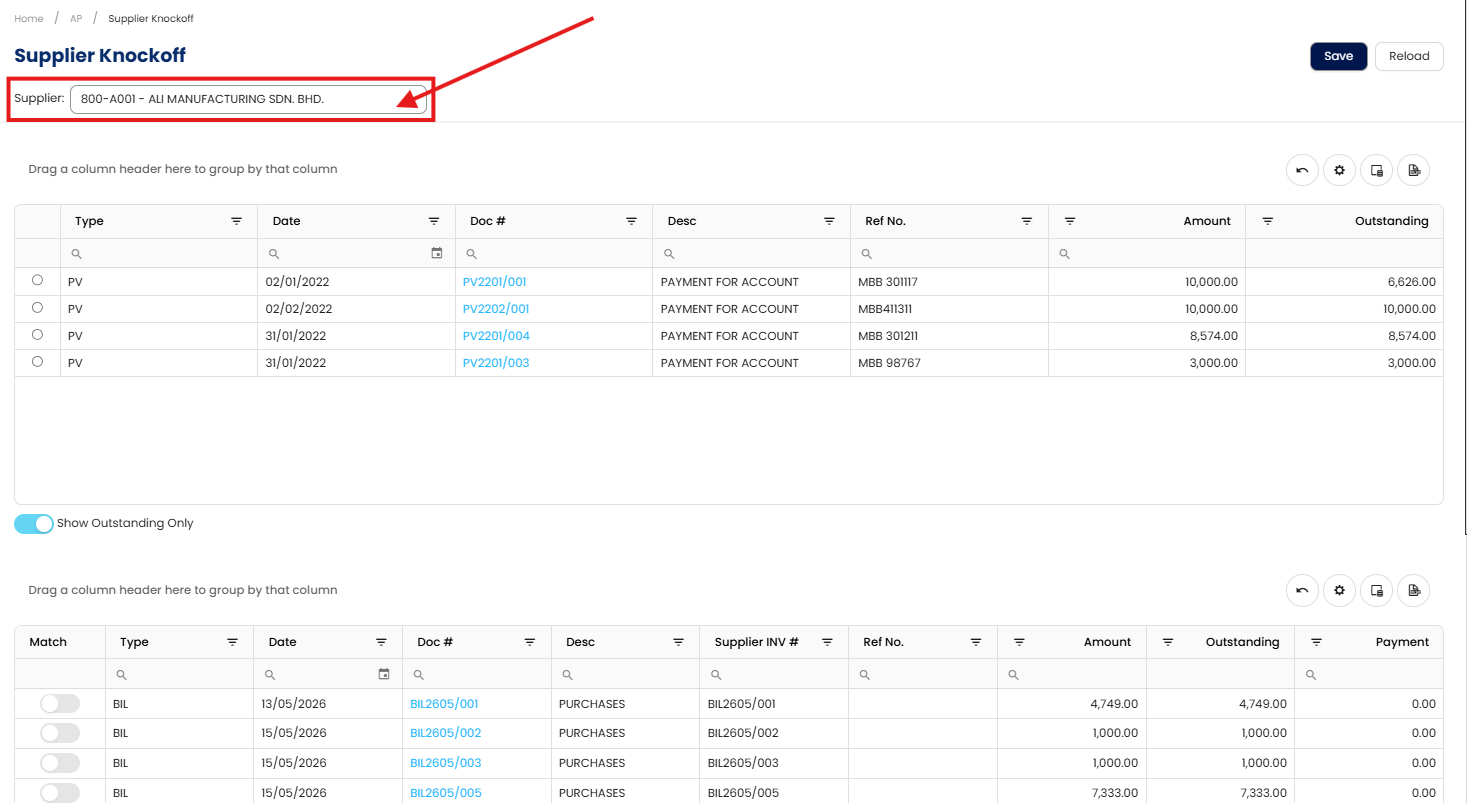
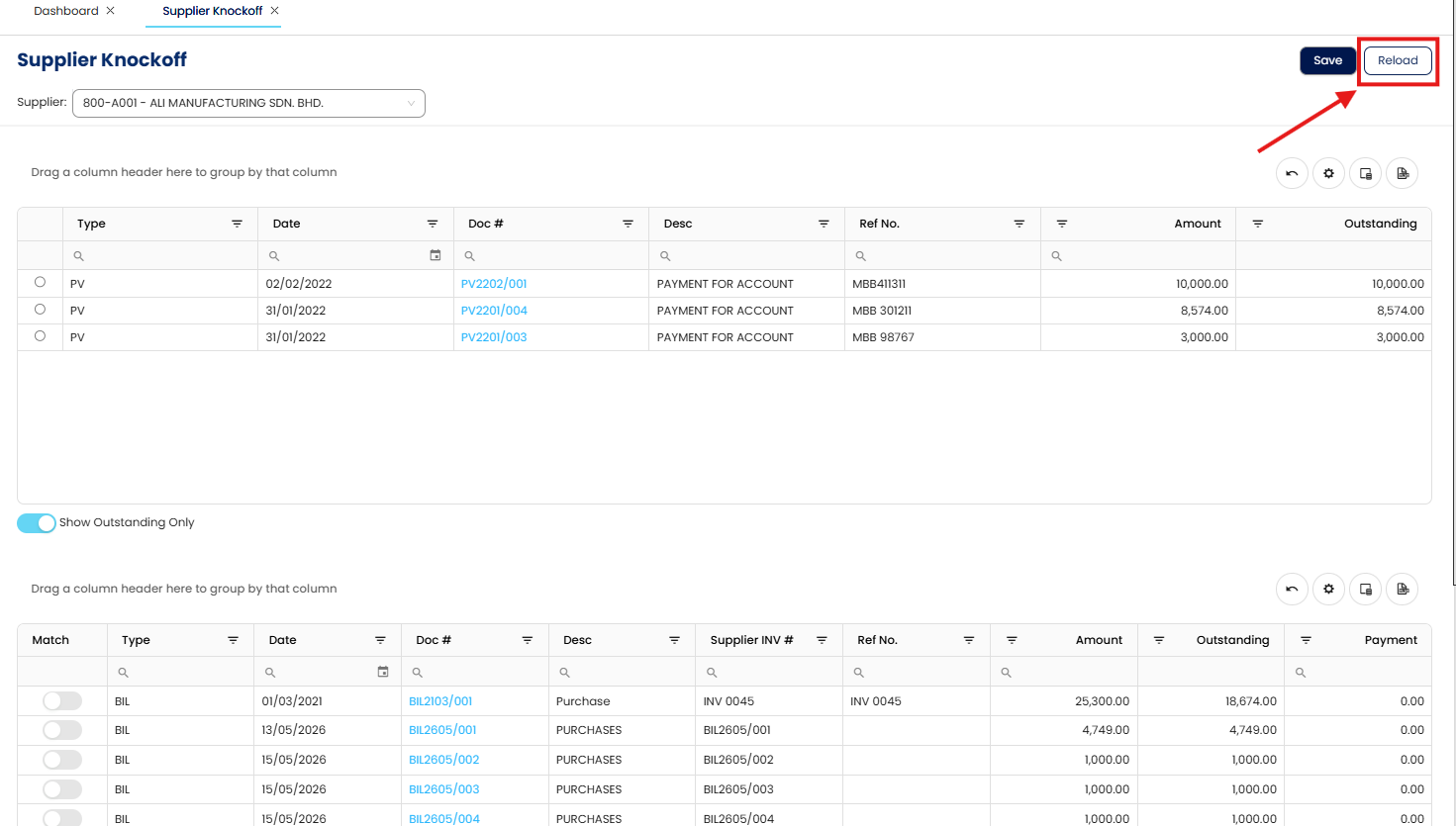
Once you have selected the Supplier Account Code/Account Name, there will be a list of the PV(s) that have not been matched with outstanding invoices.
Next, you can proceed to select the created Pay Bills (PV) to match with the outstanding invoices.
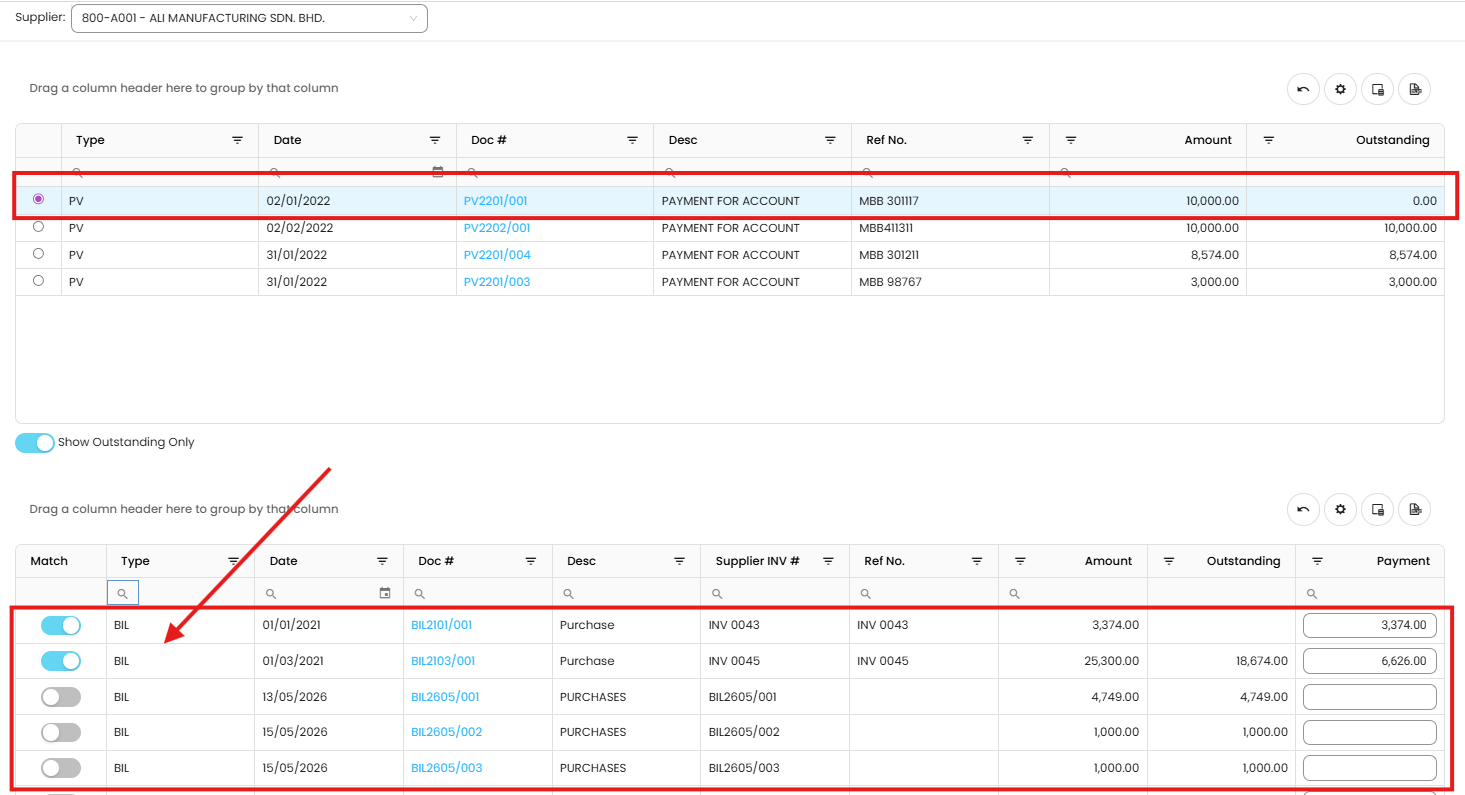
To successfully knock off the invoice, please ensure to click on the Save button
May reload the Supplier Knock Off to obtain the updated transactions that have yet to knock off.
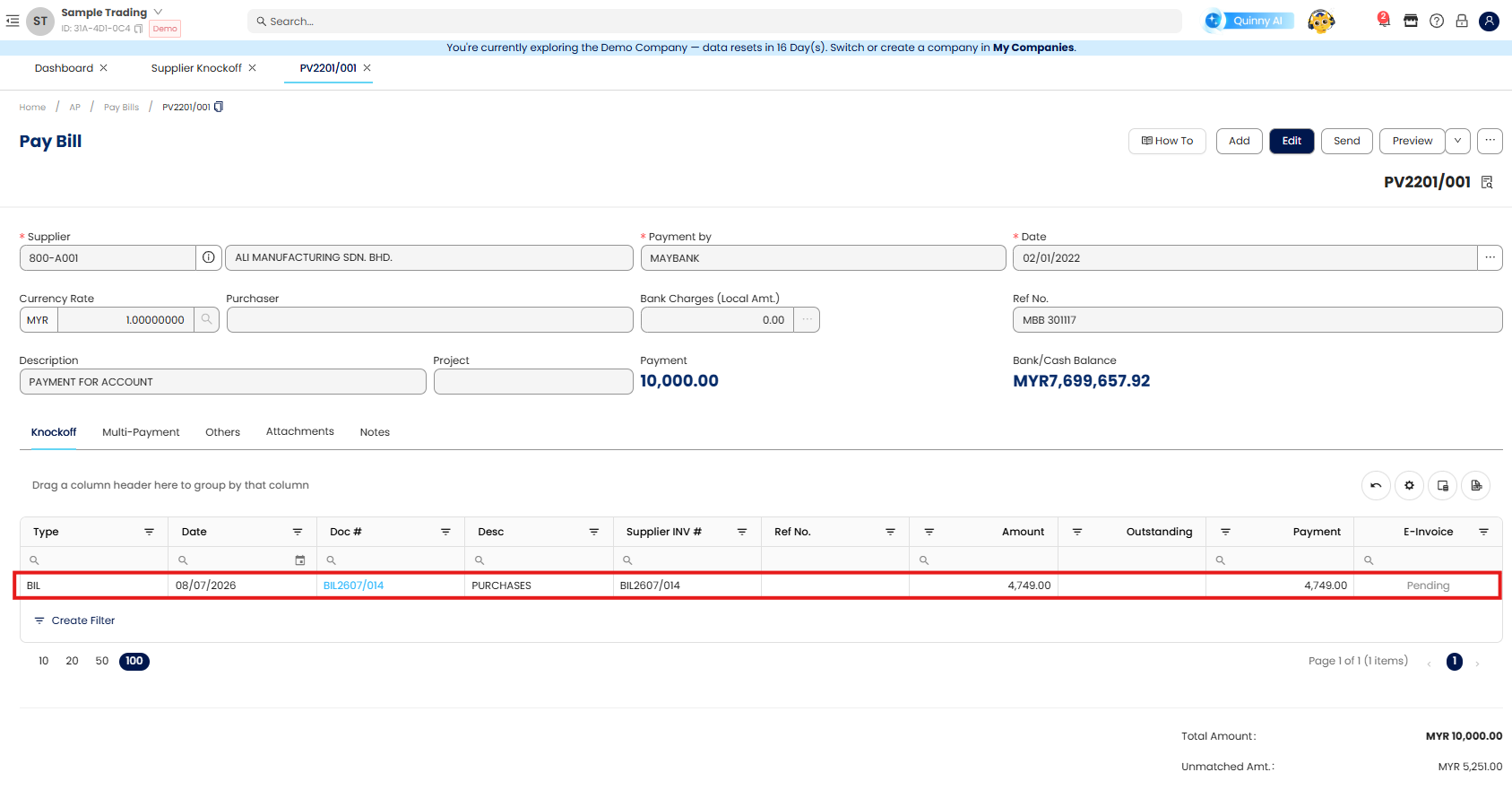
Next, you may check into the Pay Bill and the knock off document will be listed in the knock off section.
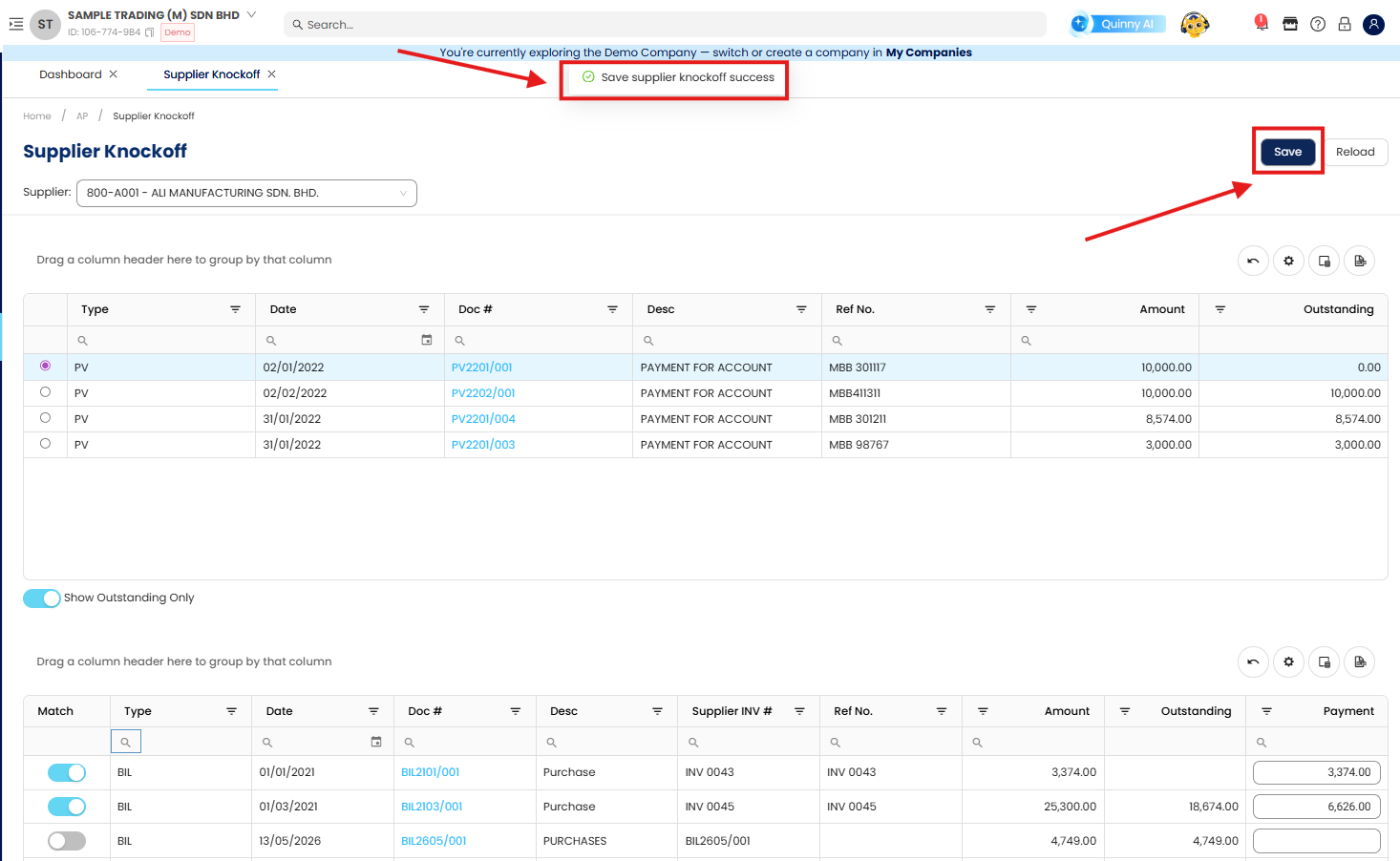
Note: You may disable the “Show Outstanding Only” option in the Supplier Knock Off module. Once disabled, the system will display all issued documents, allowing you to review and check the knock off details for the respective documents.
Done!
**Learn more about N3 - AI Cloud Accounting
Was this article helpful?
That’s Great!
Thank you for your feedback
Sorry! We couldn't be helpful
Thank you for your feedback
Feedback sent
We appreciate your effort and will try to fix the article