Overview:
In this guide, we will walk you through the process of customizing transaction formats to ensure that quantities are displayed with two decimal precision. This is essential for maintaining clarity and accuracy in financial transactions, especially when dealing with currencies or items that require precise measurement.
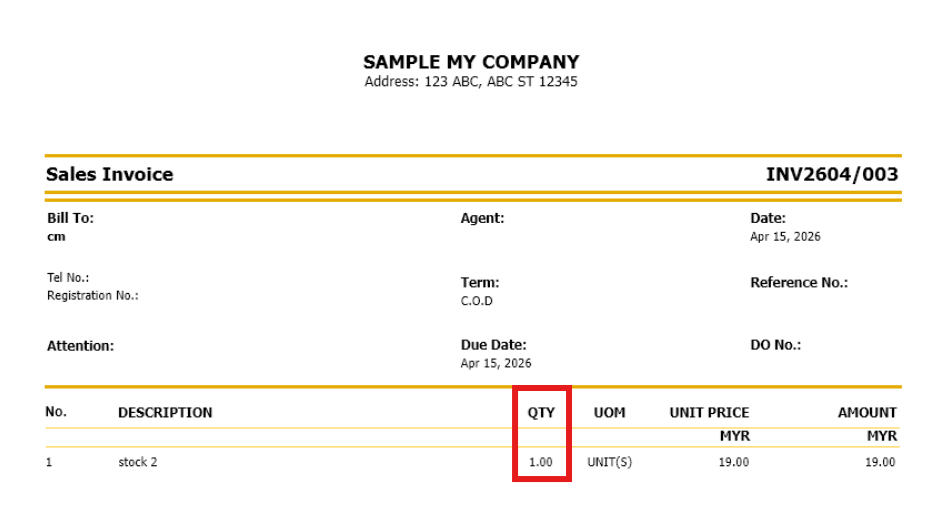
Solution:
Step 1 - Please learn How to Access Report Designer.
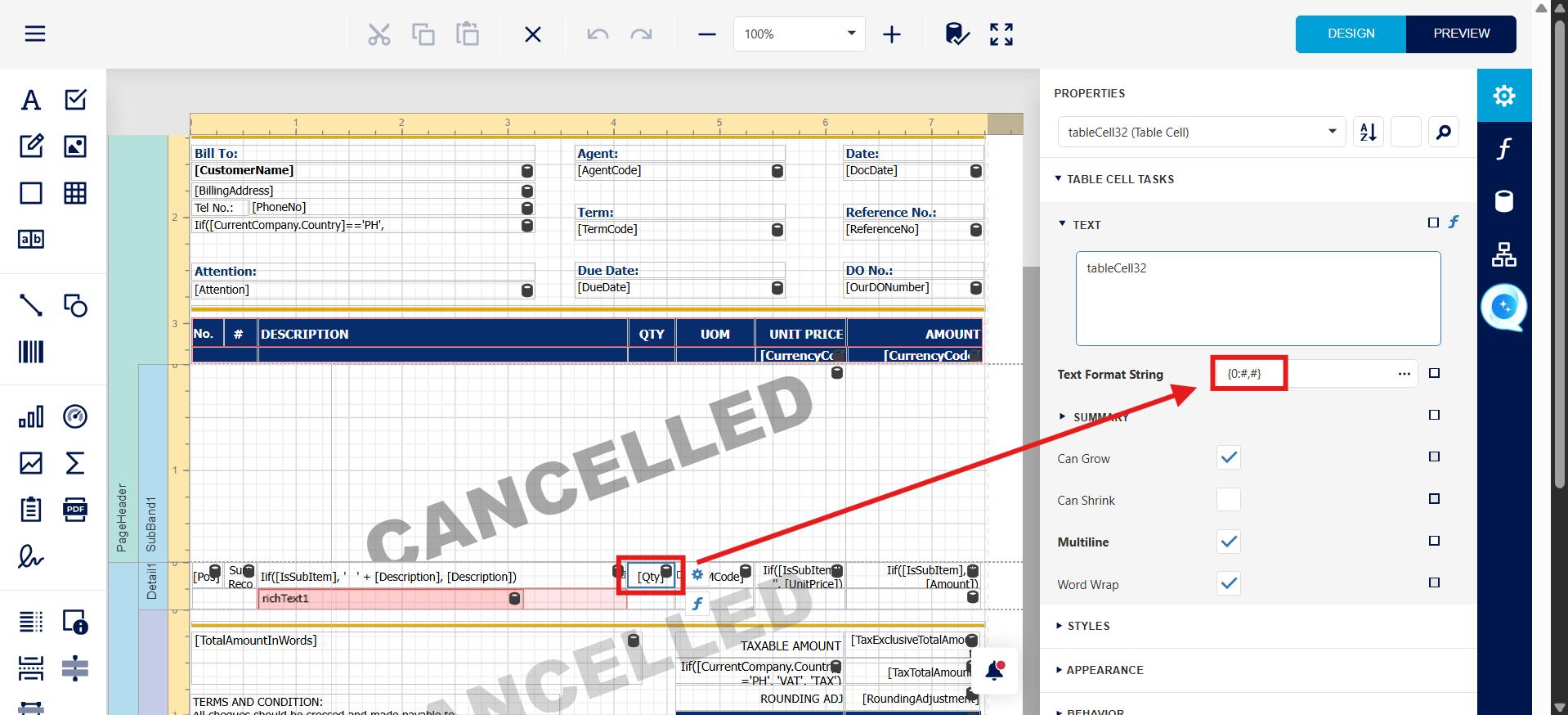
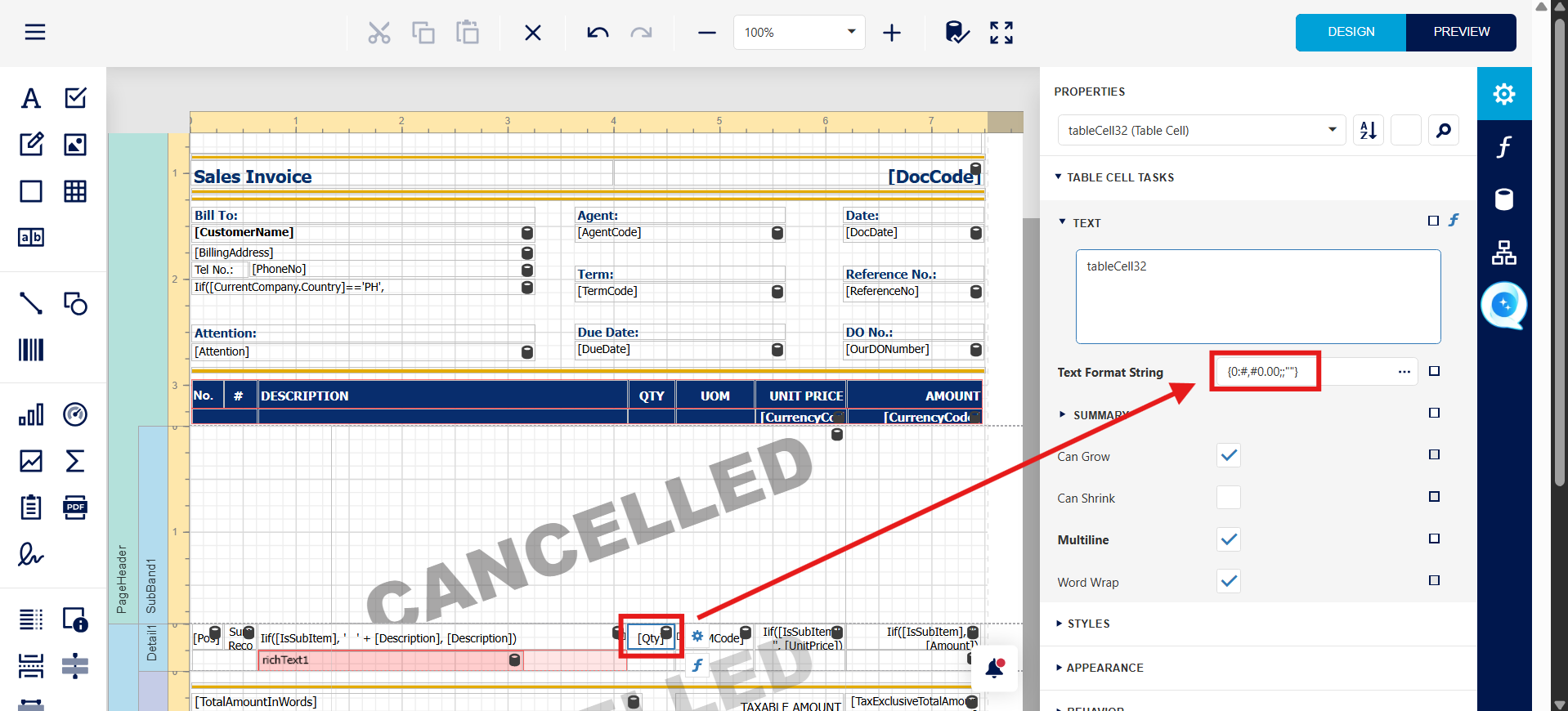
Step 2 - after Access into format Designer , Press QTY Field, Text format String change to {0:#,#0.00;;""}
Before change
after change
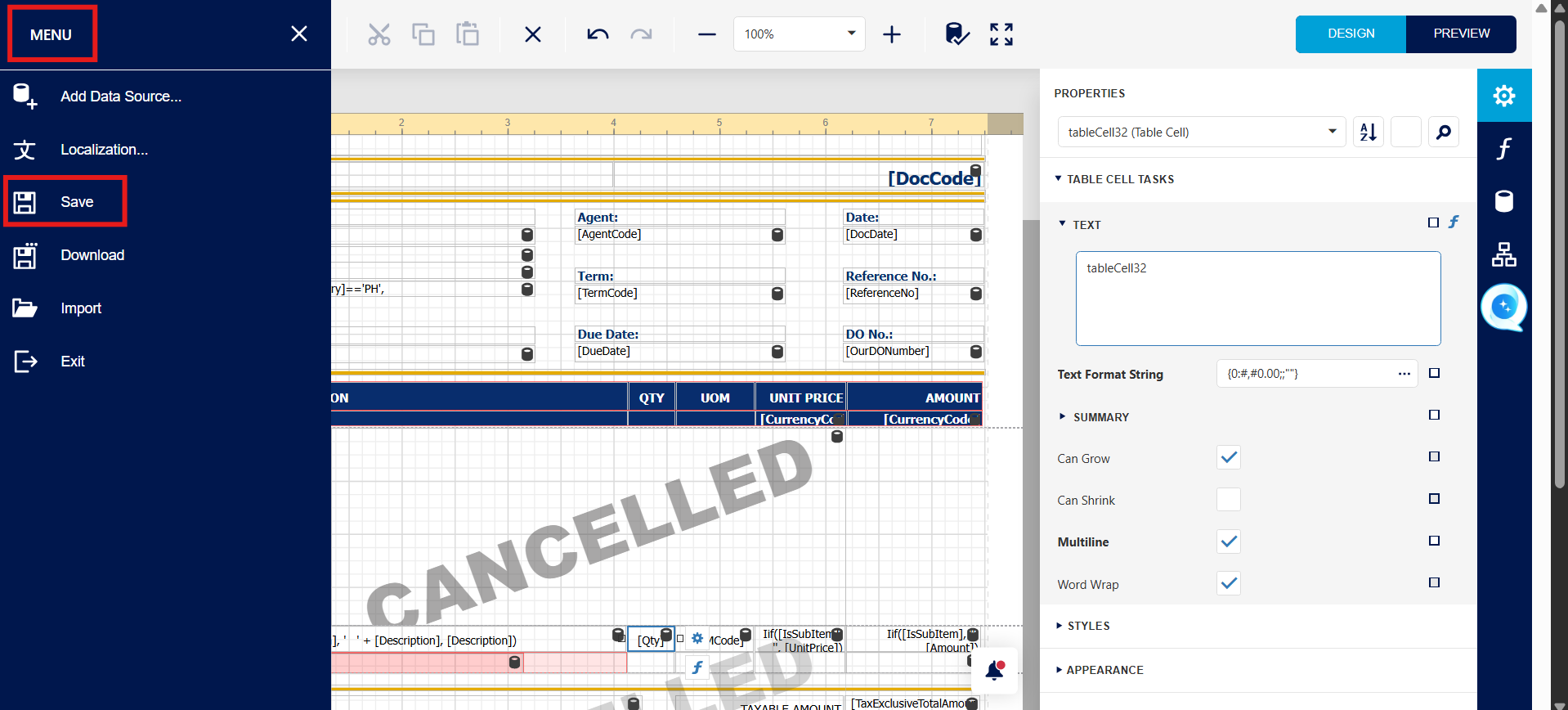
Step 3 - Press Menu button > Press Save.
Step 4 - Please learn How to Default a format.
Done!
System Scope: QNE AI Cloud Accounting / N3 AI Accounting
Was this article helpful?
That’s Great!
Thank you for your feedback
Sorry! We couldn't be helpful
Thank you for your feedback
Feedback sent
We appreciate your effort and will try to fix the article